A proof of concept by Gbadie Lue, translated and adapted by Pierre Querol with borrowed content from François Loiseau.
Tanzu Community Edition (TCE) is a VMware integrated Kubernetes platform. Following a set of simple prerequisites, you can install it in your OVHcloud environment:
- A VM that has Docker & Kubectl installed
- A compliant vCenter Server Appliance (vCSA): capacity and network settings
- a DHCP server in the VLAN you want to deploy your cluster
What is Tanzu Community Edition (TCE)?
VMware Tanzu Community Edition is a full-featured, easy to manage Kubernetes platform. It is avaible at no additional costs, 100% open source and support by the community
The project enables the creation of application platforms. It does this by leveraging Cluster API to provide declarative deployment and management of Kubernetes clusters. Kubernetes acts as the foundation in which we orchestrate workloads. With this foundation in place, Tanzu Community Edition enables the installation of platform packages that support applications running in clusters.
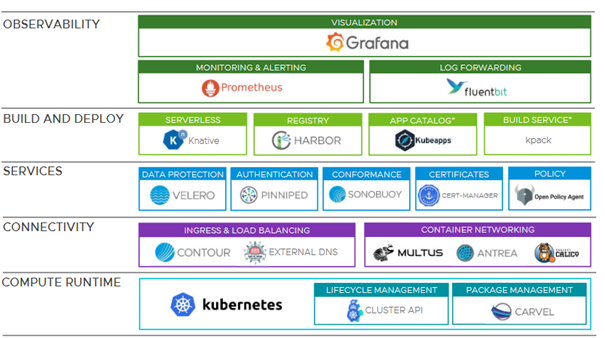
*note : app catalog and build service are planned developments.
Architecture
The installation is performed in an OVHcloud PREMIER 48 Datacenter with an NSX-V.
vSphere is on version 6.7 (6.7u3 is a minimum requirement for TCE).
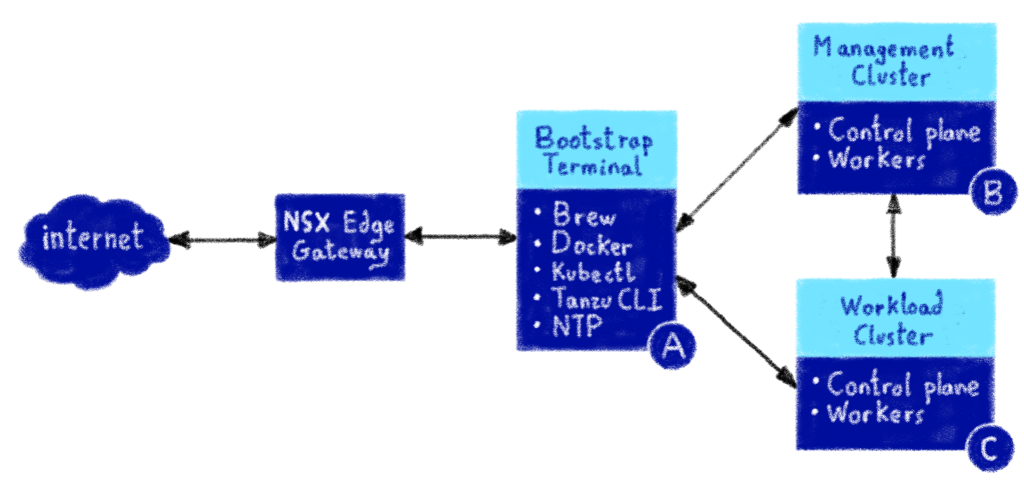
The NSX gateway will play the role of Firewall and DHCP. Alternatives to NSX are possible (pfSense is a common occurrence)
A Linux distribution VM (A) will serve as Bootstrap Terminal inside the environment with a management cluster (B) and a workload cluster (C) to host the rest of the VMs.
Bootstrap VM
The Bootstrap VM is system agnostic.
It will be your main communication device with the environment and will need to have the following elements installed
- NTP (time synchronization)
- Docker (necessary for Tanzu installer)
- Kubectl (cluster communication software)
- Tanzu CLI (cluster management software)
The simple way to achieve this is a Linux distribution with Brew installed to allow for simple package deployment but there are alternative ways and systems that will get you to the same result.
Check out our Deploying a virtual machine doc if you need help.
VCSA preparation
The official TCE documentation offers a “Before you begin” section to verify that your datacenter is compliant:
- Use an administrator account to perform the installation. A full description of the minimum required rights is available here.
- The datacenter must have the capacity (storage and compute) to host TCE and the subsequent deployments
- Port 6643 (Kubernetes API) and 443 (vCenter API) must be open and NTP service must run on all hosts and VM
- DHCP must be installed and running on the vlan where clusters will be deployed
Management Cluster
Deploy a Management Cluster to vSphere will be our guide into deployment.
On the Bootstrap VM, launch the management-cluster cmdlet with the UI argument.
tanzu management-cluster create --ui --bind yourvmip:5555 --browser noneOr, alternatively: tanzu management-cluster create –ui
The Tanzu deployment UI pops up.
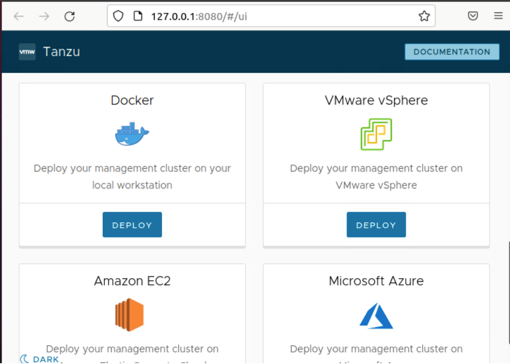
Choose VMware vSphere deployment. The installation is as easy as filling a form.
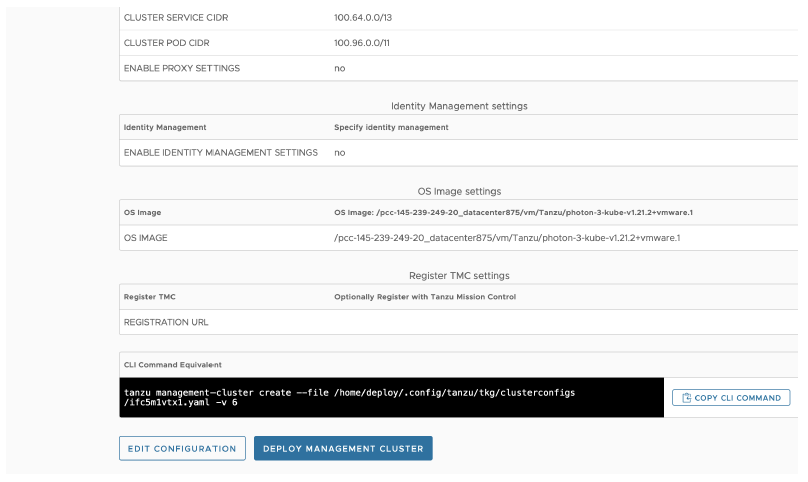
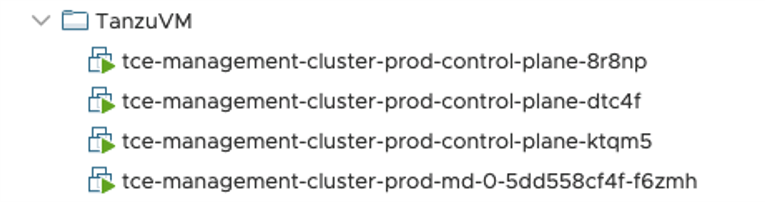
Click on Deploy Management Cluster when ready. Upon success, your datacenter will show your new Management Cluster.
Get the cluster credentials for future interactions.

The following screens give you command examples to verify the cluster is active and working.
- List installed components:
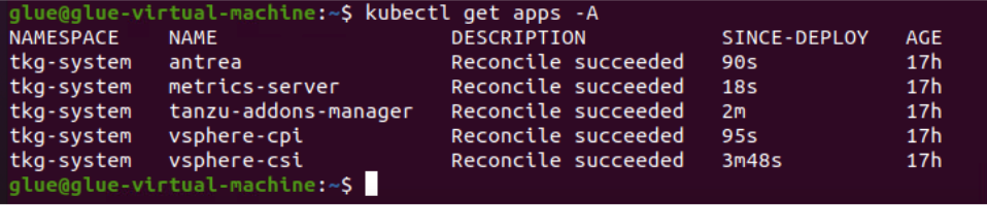
- List nodes:

- Cluster state:
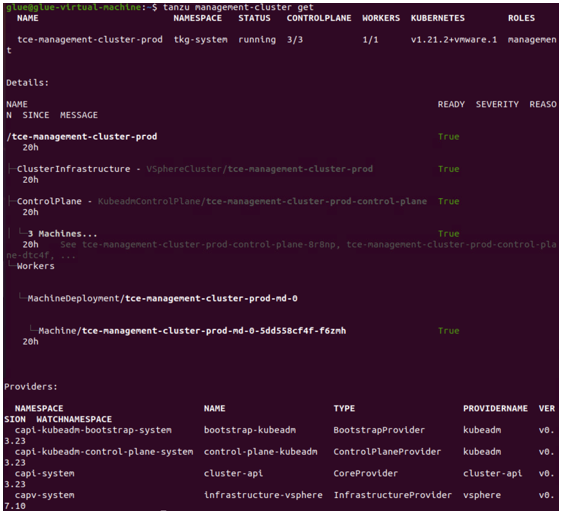
Workload Cluster
You can use a reworked copy the management cluster configuration file to build your workload cluster.
Go to the file path: cd ~/.config/tanzu/tkg/clusterconfigs

The following command will duplicate the file to a new one. A file editor like vim will allow you to modify the settings.
cp filename.yaml newfilename.yaml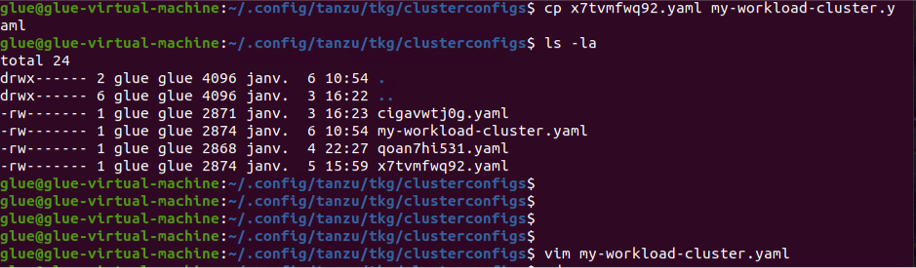
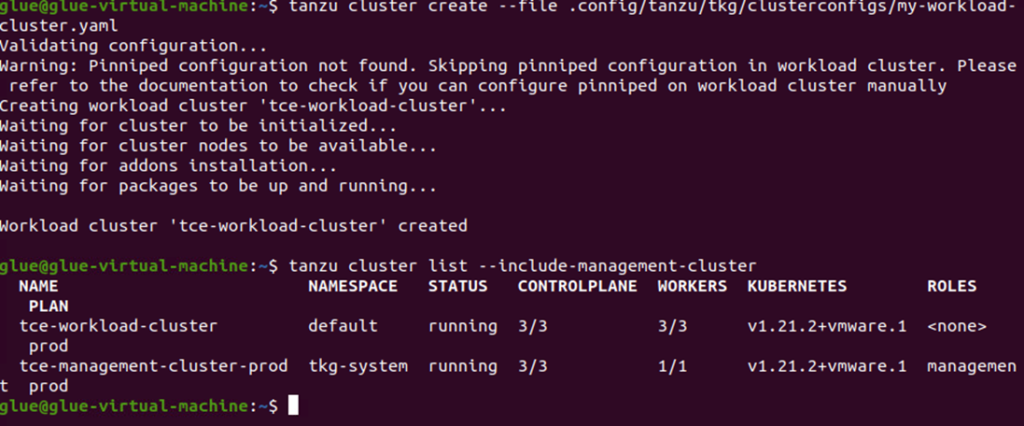
Deploy the new cluster:
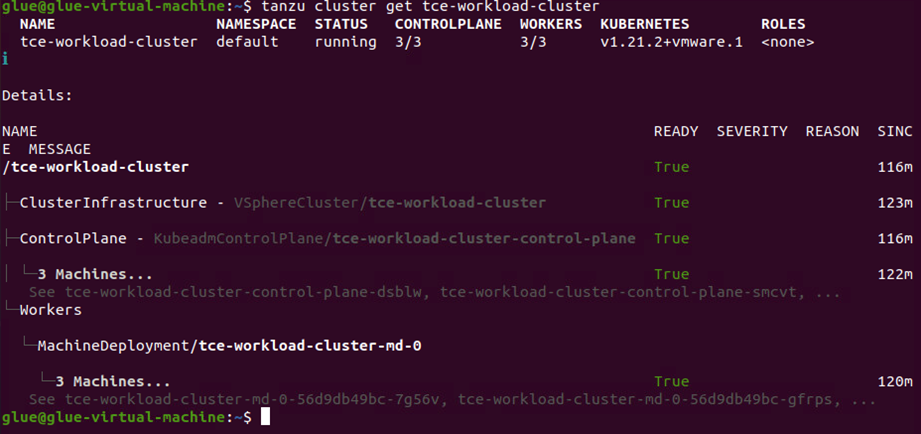
The new workload cluster can be verified now:
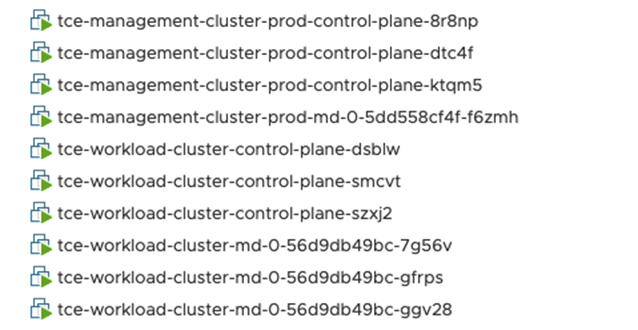
It is also visible in your Datacenter.
Get the cluster credentials for future interactions:
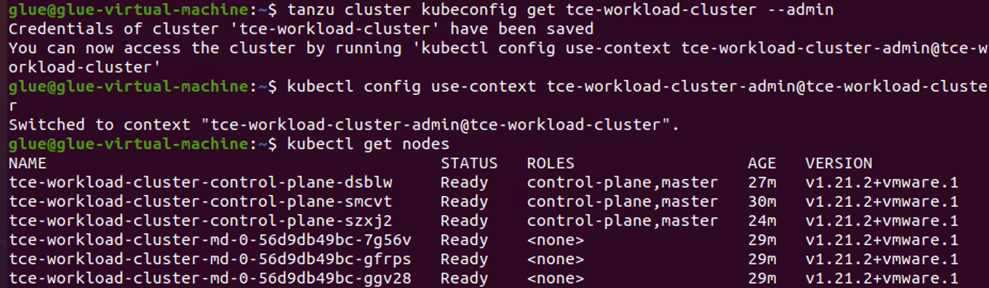
TCE is now ready to host your applications and our Team can absolutely help you tailor the power of Tanzu to your needs.